Reporting an incident
Speed beats certainty. Learn the order of actions, what to say in the first call, and the three things that make an incident worse.
What counts as an incident
Anything that might have given a stranger access, money or data. You do not need to be sure. Examples:
- You clicked a link and a login page appeared, even if you closed it.
- You typed a password or a code somewhere that now feels wrong.
- You approved a sign-in prompt you did not start.
- A caller got you to install something or read out a code.
- A laptop or phone with work accounts was lost or stolen.
- Files are renamed, locked, or a ransom note appears.
- A customer says they received a strange email from your address.
- A payment went to new bank details that turned out to be fake.
If you find yourself thinking “it’s probably nothing”, report it. “Probably nothing” is the most common first line of every incident write-up.
The order of actions
| Step | Do | Do not |
|---|---|---|
| 1 | Stop. Take your hands off the keyboard. If something is running or files are changing, turn off Wi-Fi. | Keep clicking, delete things, run a “cleaner”, or try to fix it yourself |
| 2 | Tell IT or your manager immediately, by phone or in person, even if you are not sure. | Wait until the end of the day, or send one email and assume it was read |
| 3 | Write down what happened: the time, what you saw, what you clicked or typed, and on which device. | Guess or tidy up the story. Plain facts help most. |
| 4 | Follow instructions, such as changing passwords from a trusted device or leaving a machine untouched. | Discuss details on social media, forward the suspicious message to coworkers, or contact the attacker |
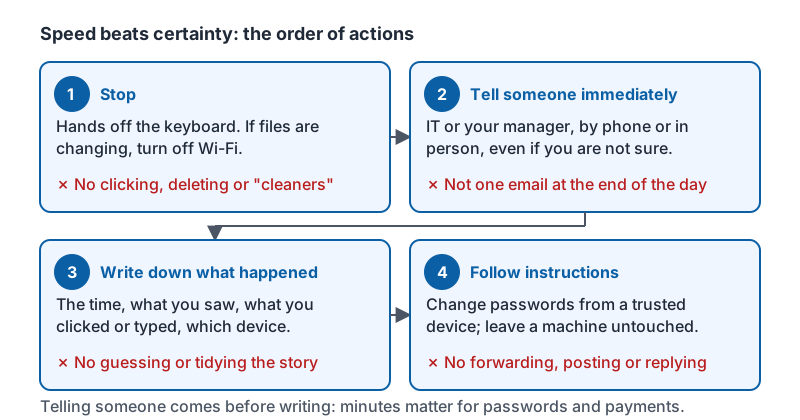
Telling someone comes before writing it down because minutes matter for passwords and payments. Writing it down comes before anything else so the details are not lost.
The same four steps as a card, with the do-nots underneath each one.
What to say in the first call
You do not need technical words. A good report sounds like this:
“I think I clicked something bad. About ten minutes ago I opened an email that looked like it was from UPS, clicked the link, and it asked for my Microsoft password. I typed it, then the page went blank. I’m on my laptop at the front desk. I haven’t done anything else since.”
That is everything a responder needs: when, what, which account, which device, what you did since. Add “I also got two sign-in prompts I denied” or “I gave the caller a code” if that applies. Do not minimize; “I may have typed my password” is more useful than “I don’t think anything happened.”
Who to tell
Your workplace should have one named person or number for this. If it does not, the order is: your manager, then whoever manages your email and computers (in-house or an outside IT company), then the owner. For a payment that went to the wrong place, also call your bank’s fraud line immediately; wires can sometimes be recalled within hours but rarely after a day.
Write that contact into your phone now, under a name you will find under stress, such as “IT emergency”.
What happens after you report
- The responder decides whether to reset passwords, sign out devices, or isolate a machine. You may be asked to change passwords from your phone.
- They look for the same message or activity in other mailboxes and remove it.
- If money moved, the bank is contacted to try to recall it.
- If customer or employee data may have been exposed, the owner decides whether notifications are required.
- You will usually get a short follow-up, and sometimes a question or two. Nobody is building a case against you.
The three things that make an incident worse
- Silence. A click nobody hears about for a day gives the attacker a day inside your email.
- Forwarding the message to warn others. It spreads the live link. Let IT send the warning.
- Trying to fix it quietly. Deleting files, running a tool from the internet, or paying “a small fee” to make it go away all destroy evidence or deepen the loss.
Try it now
Open your phone and save or confirm the contact you would call for an incident, under a name like “IT emergency”. Then say out loud, in two sentences, how you would report a click you made ten minutes ago. If you can do that, you are ready.
Remember: stop, tell someone immediately, write down what happened, follow instructions. Speed beats certainty, and nobody is blamed for reporting.
Checking your progress…